
VAST Summary Validation
Get comprehensive validation reports for your VAST ad tags with detailed review of all components.
Summary report
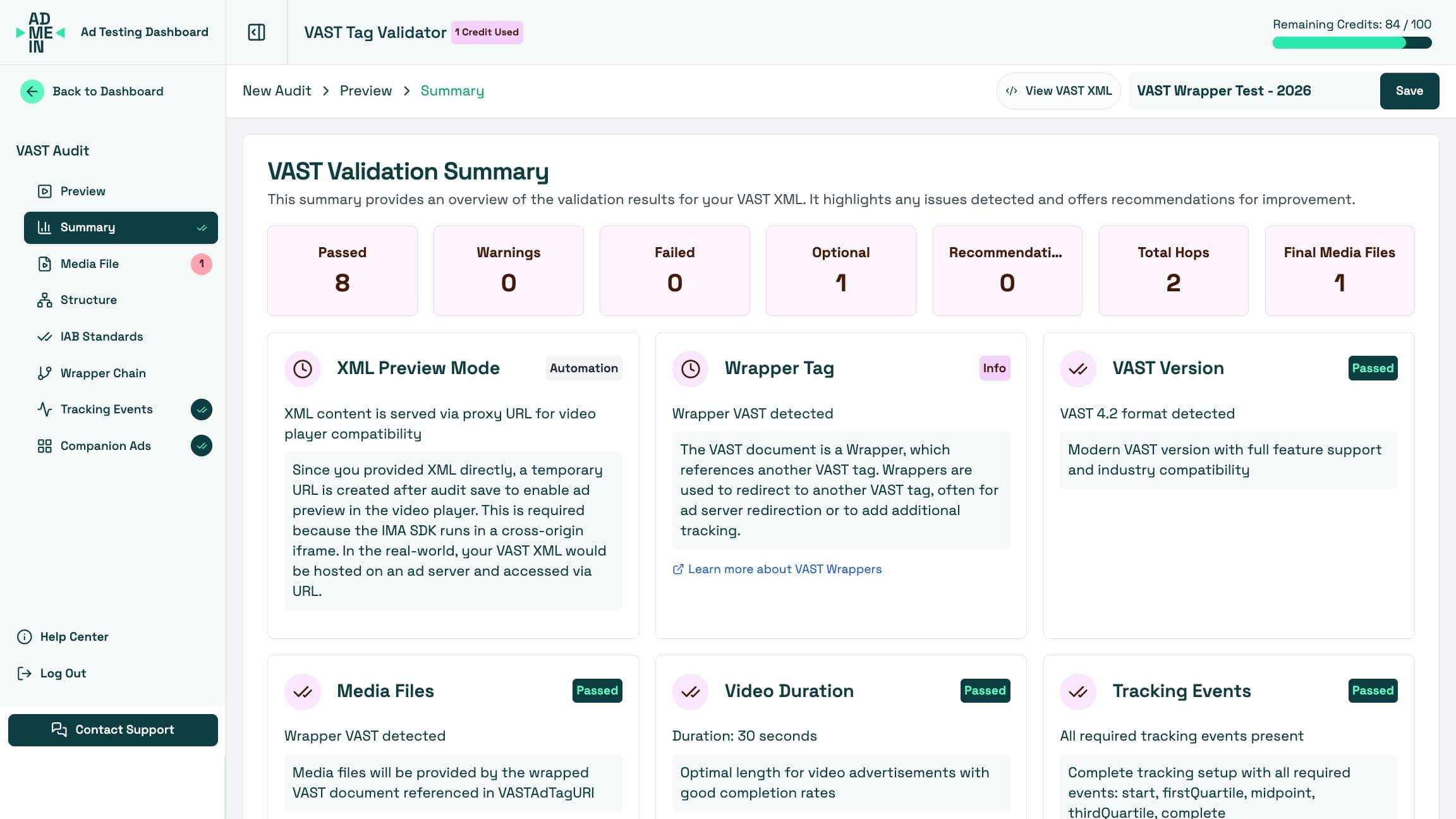
Example summary dashboard with pass/fail counts, recommendations, and tracking coverage.
How VAST summary works
When you submit your VAST tag for validation, our system performs a thorough review of every aspect of your VAST XML. We check for compliance with IAB standards, validate media files, verify tracking URLs, and review the structure of your tag. The results are presented in an easy-to-understand summary that highlights any issues found and provides clear recommendations for improvement.
The VAST tag summary breakdown
- VAST VersionChecks if the VAST version is supported and valid.
- Wrapper TagDetects whether the VAST tag is a wrapper.
- Media FilesEnsures media files are present and properly formatted.
- DurationValidates that the ad duration is specified and reasonable.
- Tracking EventsChecks for required tracking events and their correctness.
- Click TrackingVerifies click tracking URLs are present.
- Impression TrackingEnsures impression tracking is implemented.
- Companion AdsChecks for valid companion ads if present.
- Ad SystemValidates the AdSystem element.
- API FrameworkChecks for correct API framework usage.
- Ad SequenceValidates ad pod sequence numbers (for sequential ads).
- Sequence TimingChecks total duration and timing of ad pods.
- VMAP VersionChecks VMAP version (for VMAP tags).
- Ad BreaksValidates ad breaks in VMAP.
- Ad Break TimingChecks timing of ad breaks in VMAP.
- VAST ReferencesEnsures VMAP ad breaks reference valid VAST tags.
Results example
You'll need to register or login to view Ad tag validation results. After you validate your VAST tag, you'll see a detailed breakdown of each section of your VAST XML. The results show which parts passed, which failed, and how to fix any issues found.
Key Features
- Instant validation of VAST 2.0, 3.0, 4.0, 4.1, and 4.2 tags
- Comprehensive error detection and reporting
- Best practice recommendations and warnings
- Impression and tracking URL verification
- Companion ad detection and preview
- API framework detection (VPAID, SIMID, OMID)
- Duration and bitrate checks
- XML structure and schema compliance checks
Go beyond basic Ad previews and Turn Ad testing into real insights
Creating an account allows you to unlock additional features such as saving your test history, accessing advanced validation reports, and direct available support. Enhance your ad testing experience and streamline your workflow by signing up today!
Sign up in seconds
It’s free — no credit card required
See pricing options for subscription options.
Sign-up now to get access to the AdMeIn full test suites
- Save and access your test history anytime
- Get detailed validation reports
- Access advanced testing features
- Access to premium validation features
- Priority features and updates
- Clean dashboard without ads and clutter